
September 14, 2026
AI Virtual Staging: The Complete Guide to Boosting Your Real Estate Photos
By HouseVision AI Team
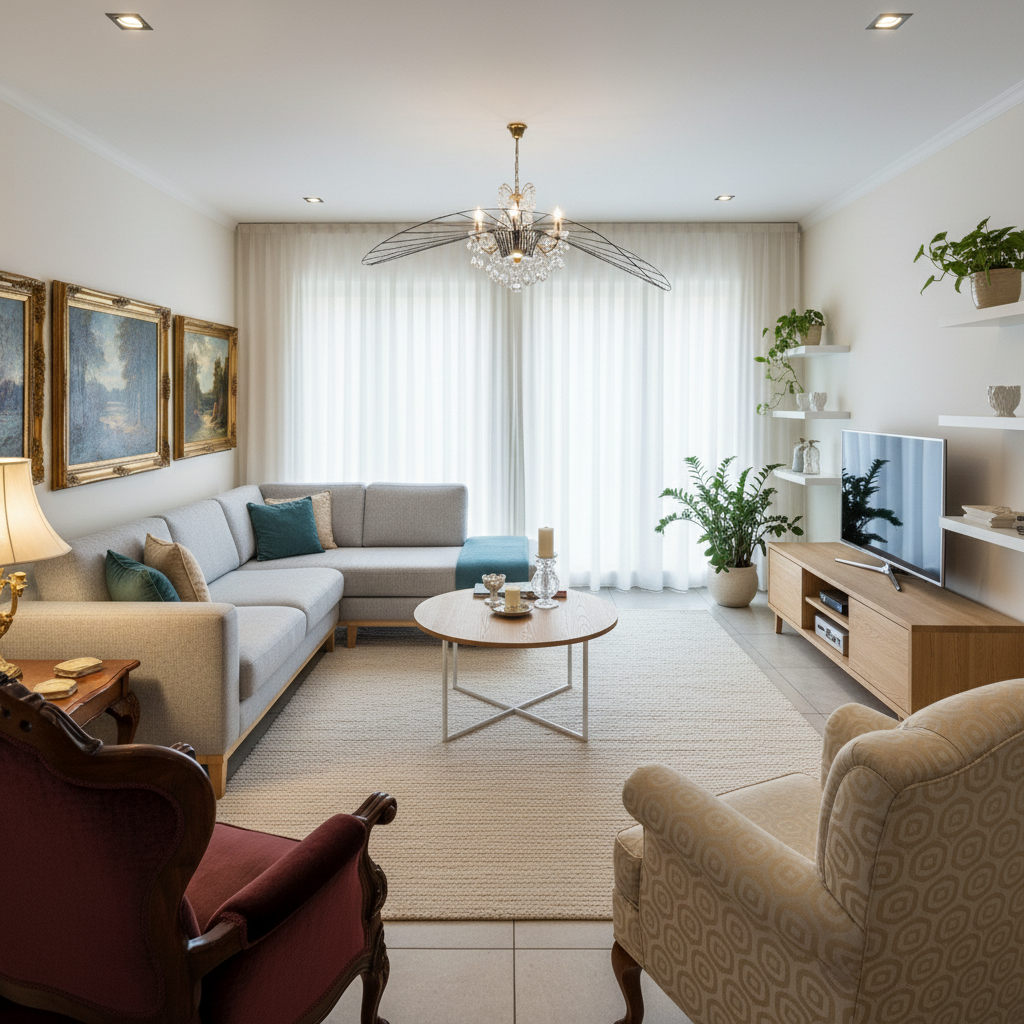
Photographs are often among the first things a buyer uses to understand a property. A virtual-staging image can illustrate one furnishing option, provided it is distinguished from the property's current condition and does not hide defects or change material features.
Editorial review: 7 October 2026. Prepared by the HouseVision AI editorial team. Prices are public provider examples checked on that date, not an industry average or binding quote.
What virtual staging can do
Virtual staging adds digital furniture to a photograph to show a possible layout or style. It can help explain a room's potential use, but it does not prove that furniture exists or guarantee more inquiries or a faster sale. Keep current, unedited photos and present the edit as an illustration.
Indicative cost and time comparison
Physical staging is usually quoted per property, room, or project; virtual services are often priced per image, package, or subscription. These units are not directly comparable. The examples below are provider-published prices, not market averages. Check current pricing, taxes, billing terms, and availability in your country.
| Approach | Public pricing example | Published time or what to confirm |
|---|---|---|
| Physical staging | Local quote per property or room; depends on size, furniture, transport, and rental period | Ask about setup and removal timing in your market; logistics and installation require advance planning |
| Manual virtual staging | BoxBrownie lists virtual staging from €21 per image on its international pricing page | The provider states delivery in under 48 hours; confirm scope and revisions |
| AI property package (Spain/EU) | ImmoStage lists €29 per property for its individual plan, including 10 staging images and other deliverables; this is not a staging-only price per image | The provider advertises processing in under 2 minutes; confirm which deliverables are available in your plan |
| AI virtual staging | Virtual Staging AI lists plans from $16/month for 6 photos ($2.67/photo on annual billing), with lower per-photo rates on larger plans | It lists a 10-second generation time; selection, review, and touch-ups may take longer |
Pricing checked on 7 October 2026. ImmoStage presents itself as a European provider offering a Spanish-language service and states that it operates servers in Germany; its price is provider-published and includes additional deliverables. The Virtual Staging AI plan is billed annually, and the provider currently says it does not support subscriptions in the EU, EEA, or UK; treat it as a published USD reference, not an option available in every market. Prices and turnaround may change. Compare travel, furniture rental, number of images, revisions, taxes, usage rights, and extra generations. With AI tools, render time is not the full time from brief to published listing.
Prepare and review the edit
- Start with a clear photo taken from a natural perspective and keep the original.
- Choose furniture that is proportionate to the room and a style suited to the property.
- Check that doors, windows, radiators, and fixed features retain their shape and position.
- Review scale, perspective, and shadows; ensure the edit does not hide damage or change material features.
- Distinguish current photos from virtual representations and explain the edits when publishing.
Styles to consider
- Scandinavian: simple lines and light tones for a bright presentation.
- Industrial: materials and shapes that may suit lofts or larger spaces.
- Mediterranean: an option for homes where natural light and outdoor connections matter.
- Minimalist: fewer elements to keep attention on architecture and space.
- Classic: may complement homes with traditional details.
Style is a visual choice, not evidence that an option will attract more buyers. In a 2025 US survey, the National Association of REALTORS® reported that 83% of surveyed buyers' agents said staging helped some buyers visualize a property as a future home. This is agents' reported perception, not a measured effect of virtual staging or a promise of a sale. Keep a consistent direction across rooms and avoid blocking windows, paths, or access.
Virtual-staging publishing checklist
- Keep the original photo and note what was changed.
- Check scale, geometry, perspective, and fixed features.
- Do not hide damage or present a renovation that has not happened.
- Separate current photos from virtual-staging images.
- Clarify which elements are virtual and check portal and market rules.
- Review image quality and legibility on mobile and desktop.
Transparency when publishing
The specific legal obligation depends on the content, the publisher's role, and applicable rules. As a transparent practice, state that furniture is virtual and keep the original photograph. HouseVision AI's editor includes a tool to overlay a caption, but that feature is not by itself a compliance certification. Read our guide to AI transparency and the AI Act.
Try different styles on the same image and compare which one communicates the property more clearly.
Start with a Virtual Staging test
Pricing and context sources
- BoxBrownie: virtual staging pricing — provider-published per-image euro price and stated turnaround.
- ImmoStage: pricing — provider-published per-property package with staging and additional deliverables; provider offering a Spanish-language service and stating that it is based in Germany.
- Virtual Staging AI: plans and pricing — provider-published USD subscription plans, included photos, equivalent unit cost, and stated generation time; geographic availability is limited.
- National Association of REALTORS®: 2025 Profile of Home Staging — US survey on reported staging perceptions, not pricing or guaranteed outcomes.